Rassvet: a new dawn for your OpenStack dashboard
Rassvet: a new dawn for your OpenStack dashboard
Rassvet (рассвет) means “dawn” in Russian. It is an OpenStack dashboard built for the people who use it every day: cloud users who launch and fix things, and operators who keep the cloud running.
Why another dashboard?
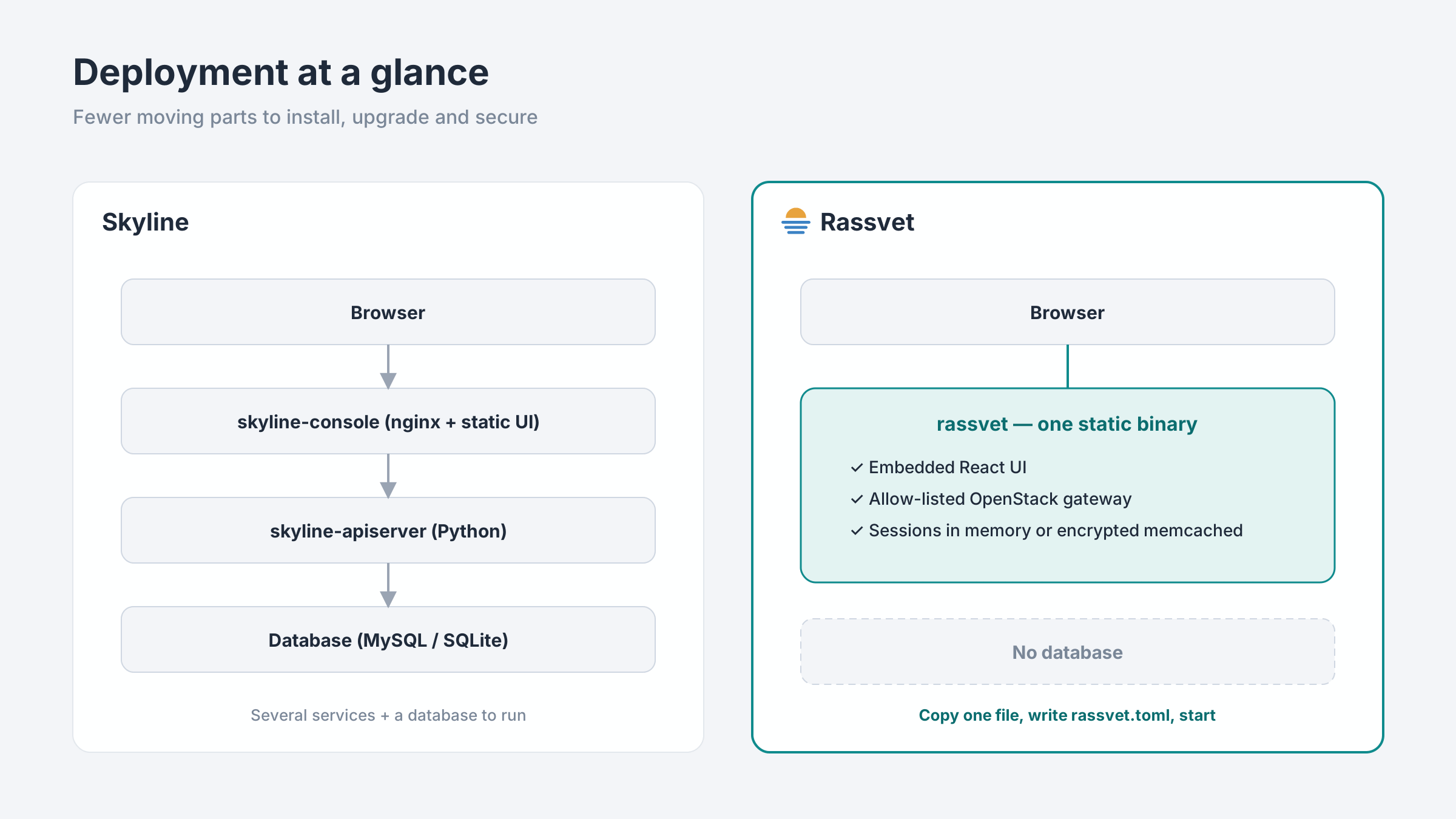
Horizon is mature but slow and dated. Skyline brought a modern look, but it still runs as several services: a console, a Python API server and a database. Rassvet takes a different path:
- One binary. A Rust server with the React UI built in. Copy one file, write one
rassvet.toml, start it. No database. - Built for speed of work. Every screen aims to get you to the resource or action in as few steps as possible.
- Built for operators. It covers the jobs admins actually do, such as draining hosts, cleaning up waste and exporting infrastructure, not just CRUD forms.
Rassvet targets OpenStack 2026.2 (Hibiscus) and works back to 2026.1 (Gazpacho), negotiating API microversions at runtime.
⌘K: the command palette
Press Ctrl K (⌘ K on macOS) anywhere to search pages, actions and resources from one box.
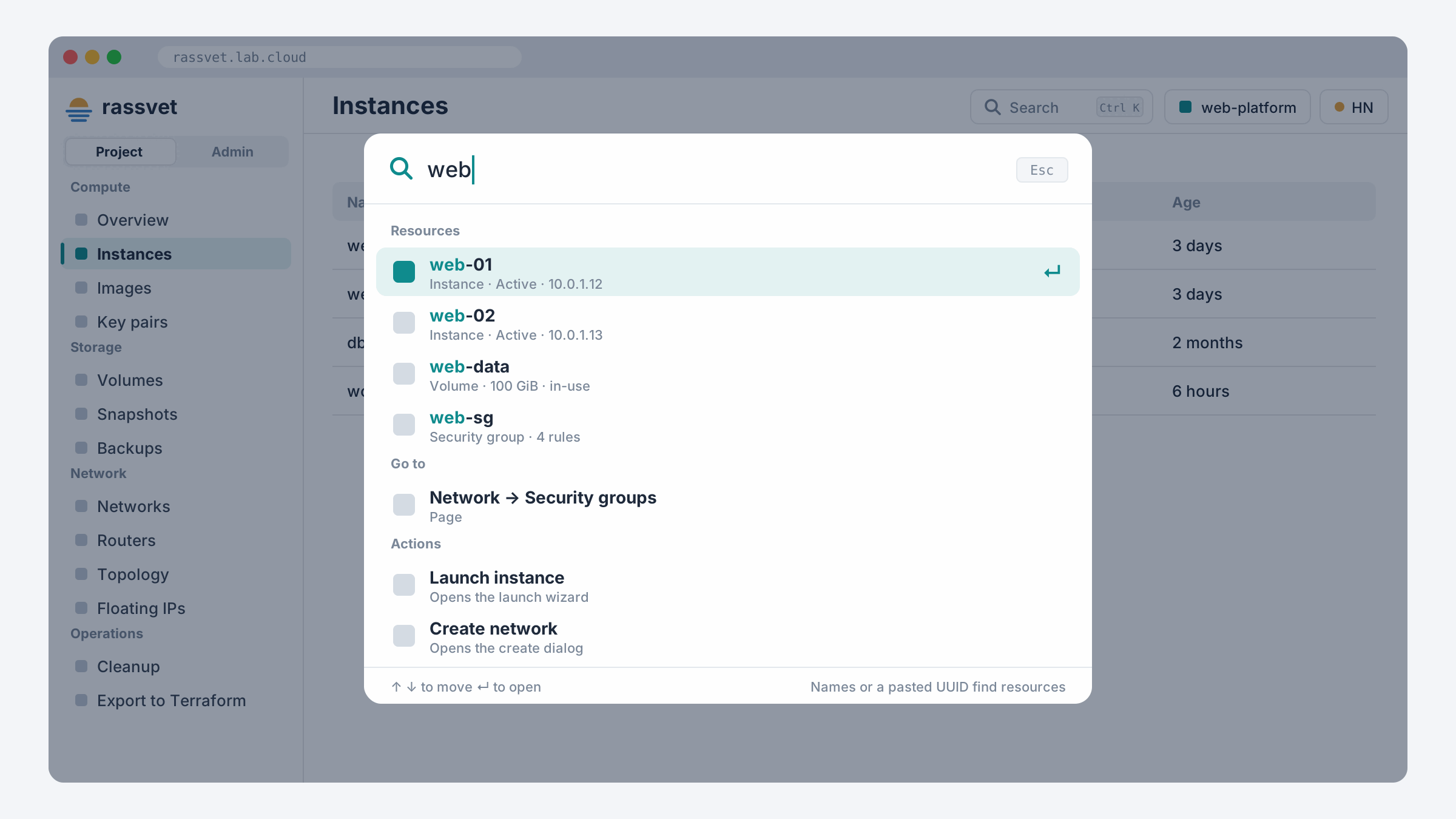
| Type… | You get |
|---|---|
volumes, routers |
The page opens |
launch, create network, allocate floating ip |
The action starts, dialog already open |
web-01 |
Matching instances, volumes, networks, routers, security groups and images |
| A pasted UUID | Rassvet looks it up in every service and opens its detail page |
dark theme, sign out, a project or region |
Settings and context switches |
Admins search across all projects, and results open in the admin view. You never need to know which service owns an ID.
Operator tools
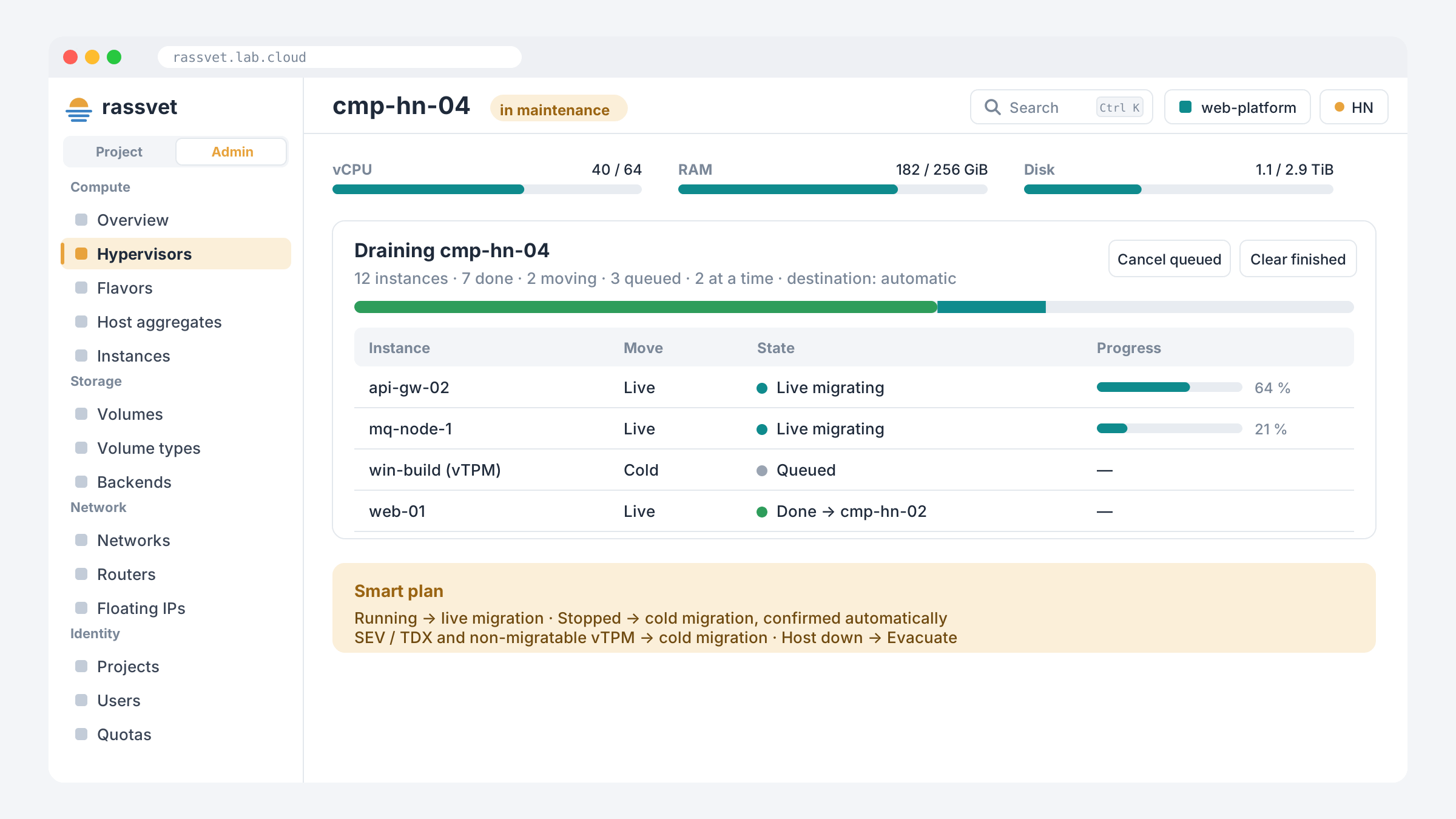
Host maintenance: drain a host in one flow
Disable a compute host and drain it. Running instances are live-migrated, stopped ones are cold-migrated and confirmed automatically, 1–5 at a time, with live progress per instance. Instances that can’t live-migrate (SEV/TDX, some vTPM setups) are detected and cold-migrated instead. A dead host gets Evacuate. Running migrations can be force-completed or aborted from the same page.
Cleanup finder: stop paying for forgotten resources
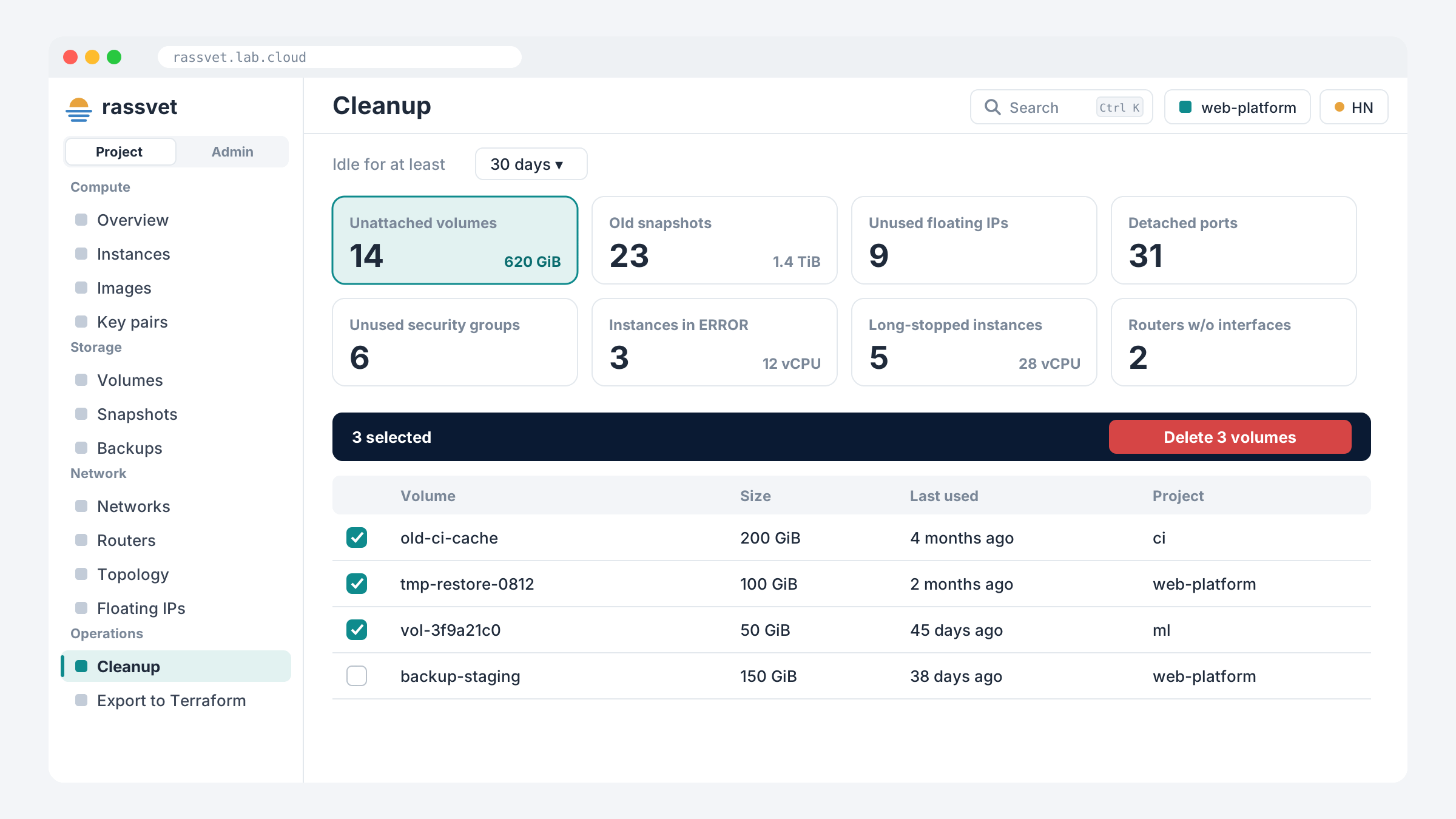
Find unattached volumes, old snapshots, unused floating IPs, detached ports, unused security groups, instances stuck in ERROR and long-stopped VMs, then act on them in bulk. Run it for one project, or across the whole cloud as an admin.
Infrastructure as code: export to Terraform
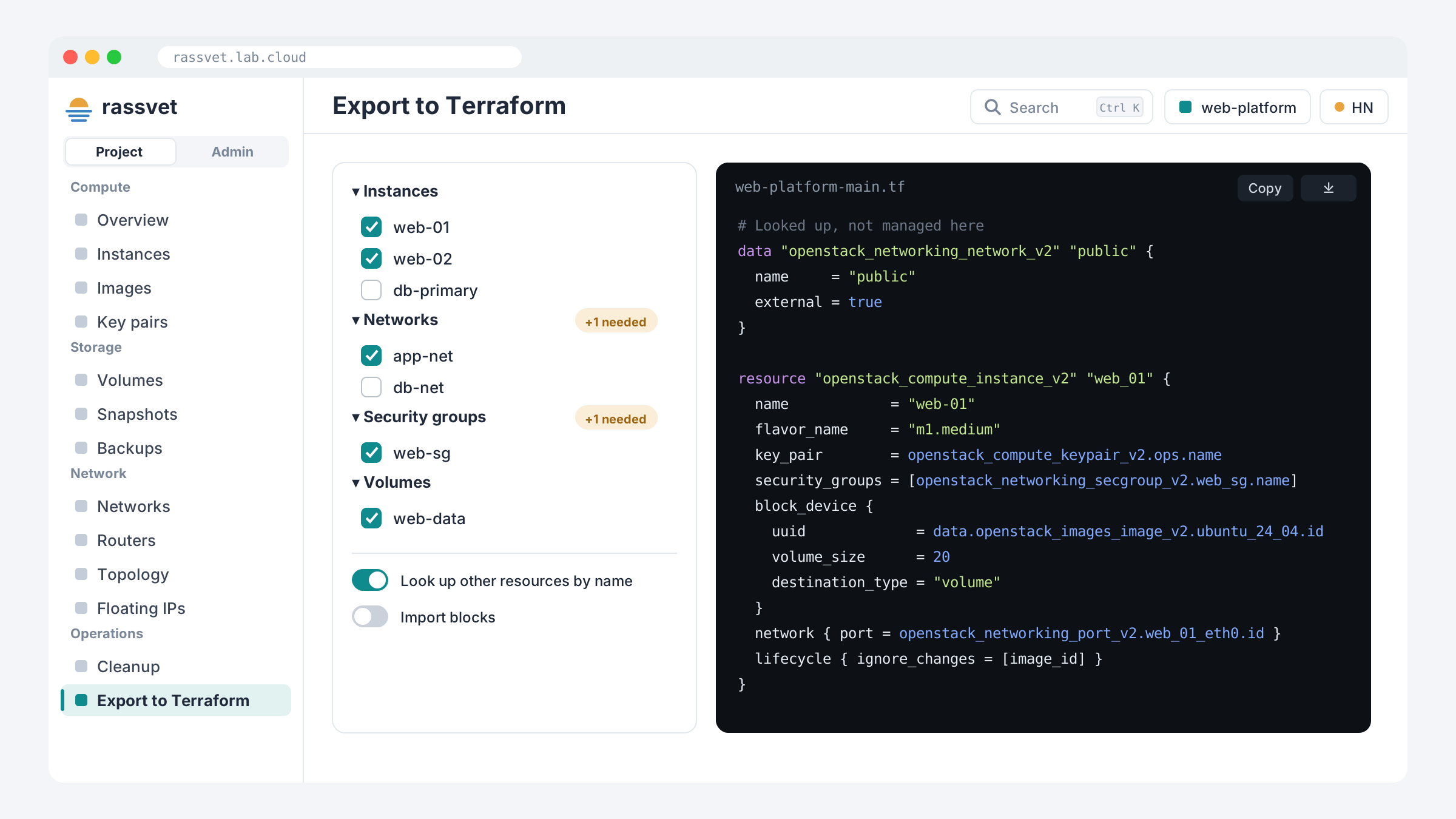
Pick instances, volumes, networks and security groups, and Rassvet writes a valid main.tf for the OpenStack Terraform provider. It adds what your selection depends on, looks up shared resources (external networks, images) by name instead of hard-coding IDs, and can add import blocks so Terraform adopts existing resources without recreating them.
Need S3 keys? EC2 credentials are one click away, with ready-made config for AWS CLI, s3cmd, rclone and boto3.
Modern Nova, ready to use
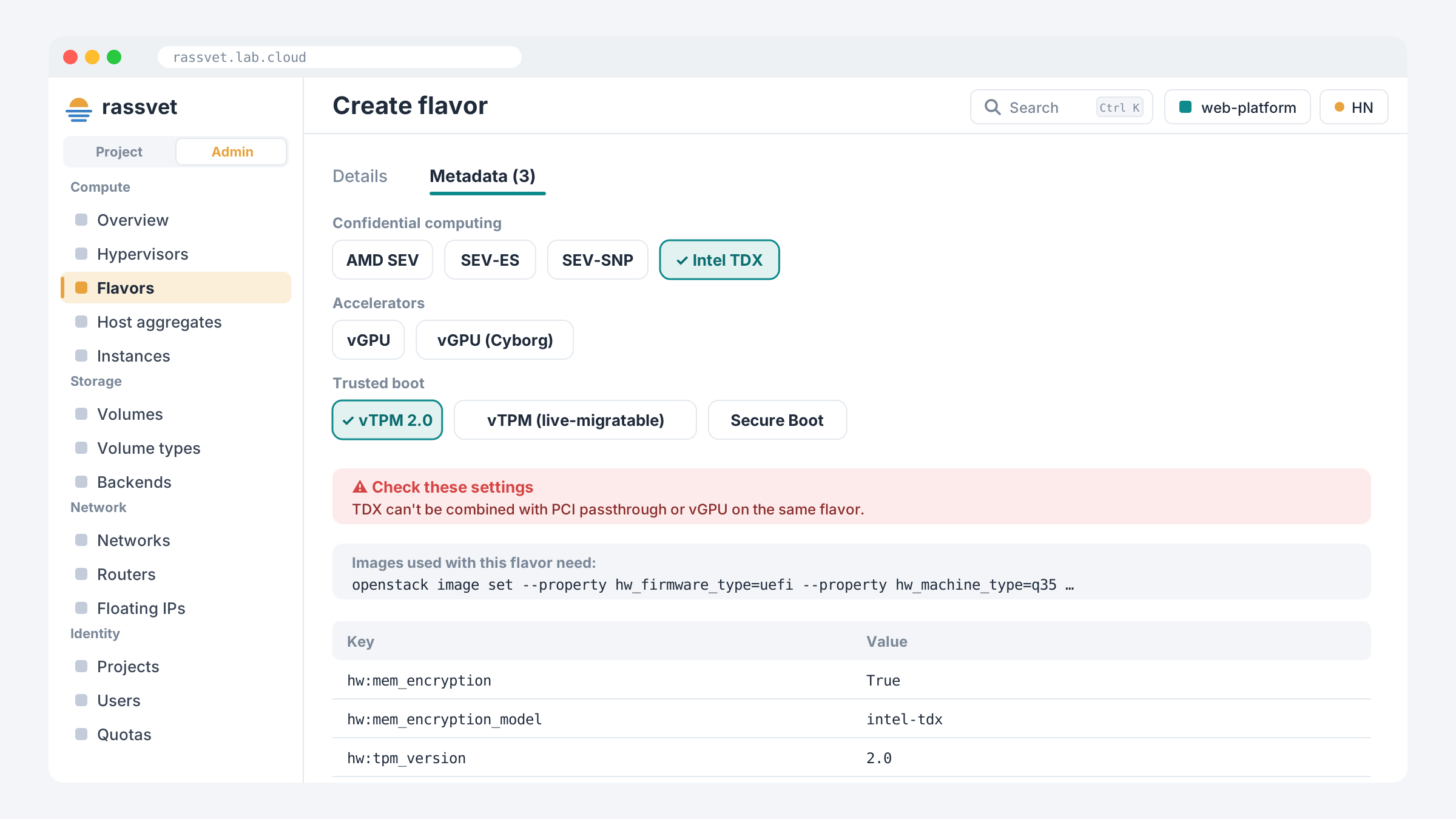
Flavor presets cover confidential computing (AMD SEV / SEV-ES / SEV-SNP, Intel TDX), vGPU, vTPM and Secure Boot. Rassvet warns about conflicting settings and shows the image properties each preset needs. The launch wizard then checks that flavor and image fit together before you click Launch.
Networks you can see
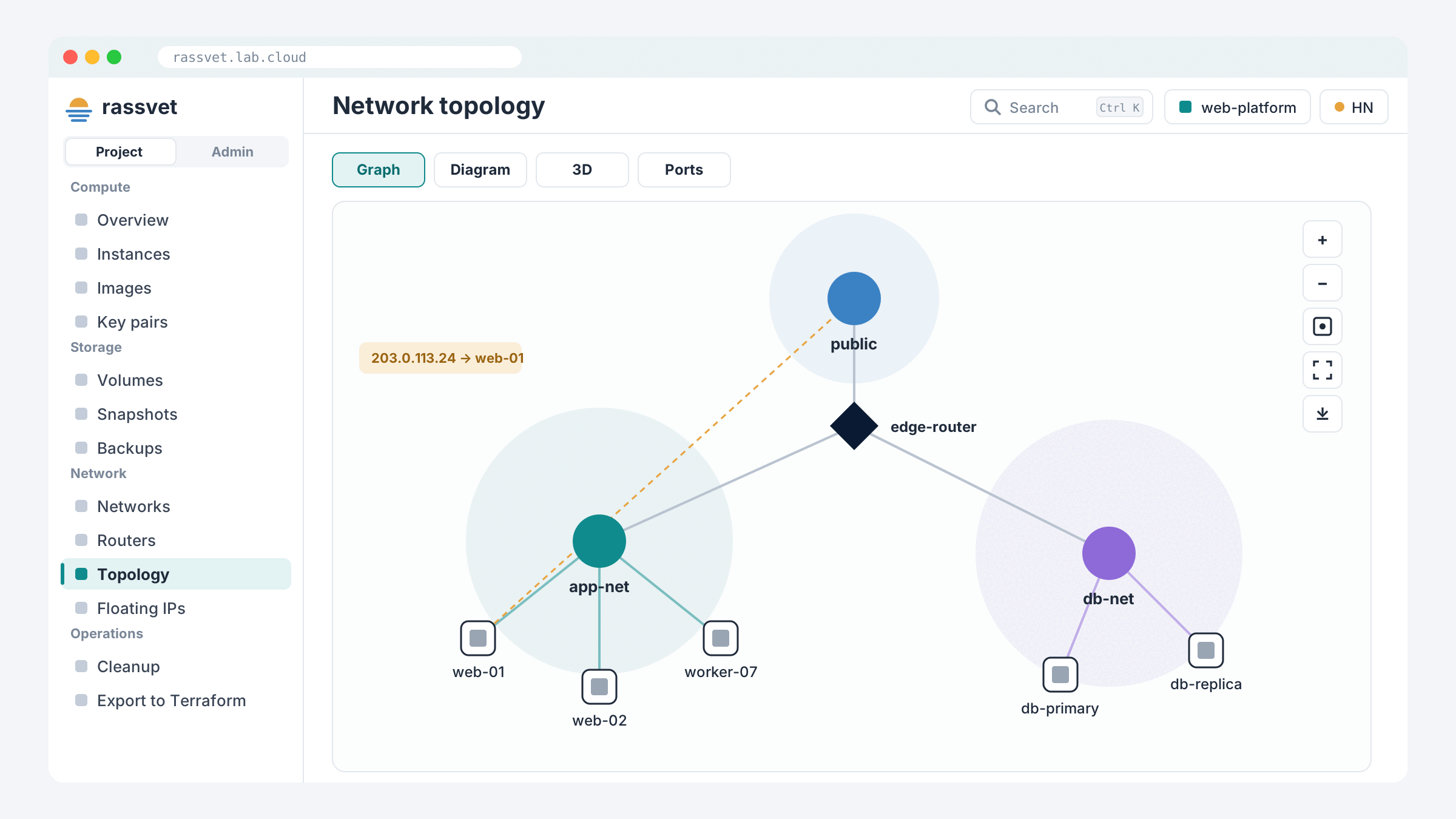
Topology comes as a force-directed graph, a classic diagram or an interactive 3D view, with full screen and SVG/PNG export. Subnet pools and address scopes, trunks, QoS, RBAC sharing and IPv6 NDP proxies are all covered too.
UI/UX built for daily use
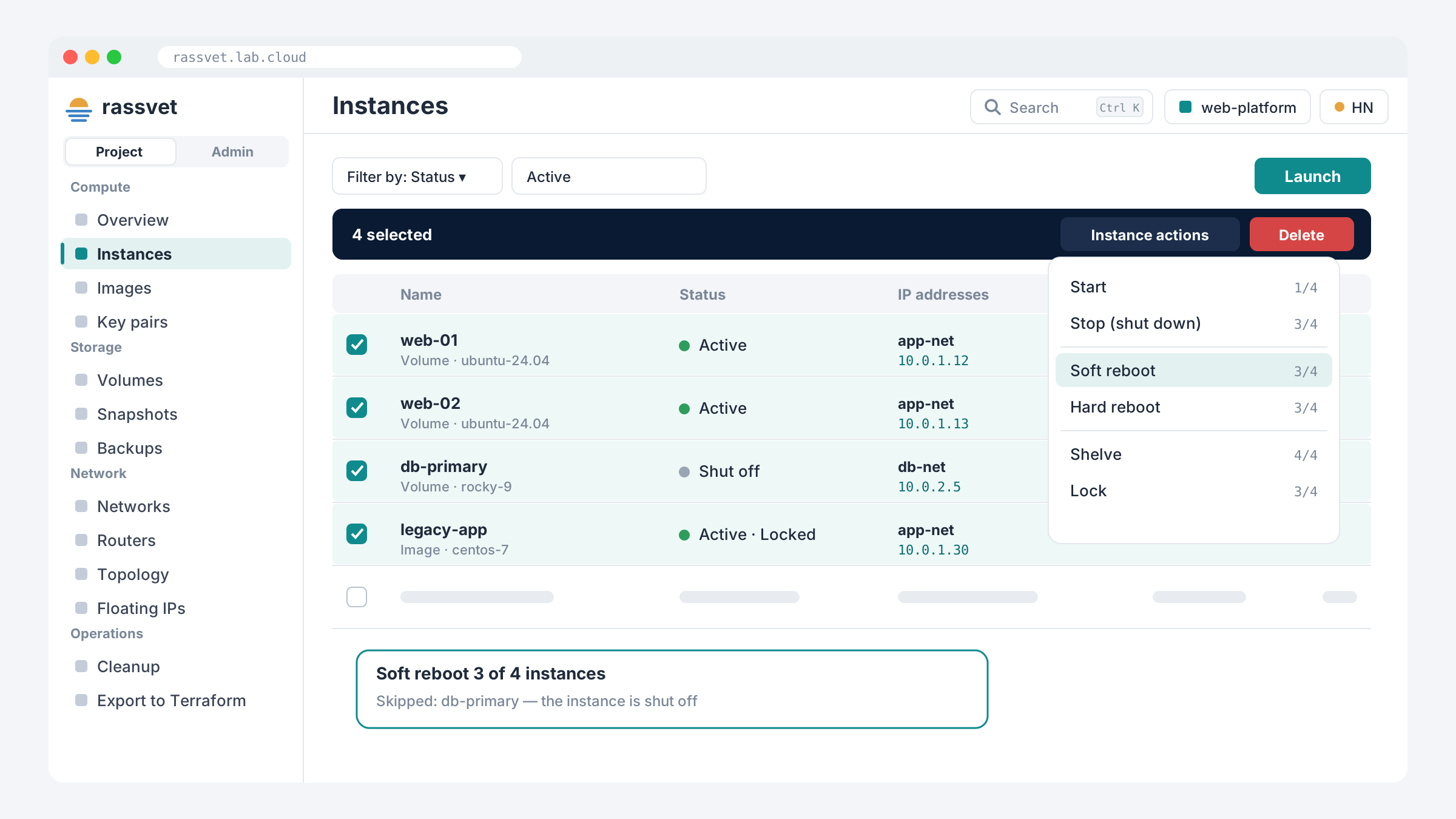
- Every list works the same way: server-side paging and filters, sortable columns, a column chooser, CSV export, and filters remembered across sessions.
- Bulk actions that explain themselves: each action shows how many selected rows it applies to (
3/4), which rows will be skipped and why, and a result for every row. - A ⋮ menu on every row, with the same actions on lists and detail pages.
- Fast on large clouds: lists show names first and fill in details progressively. Busy rows refresh themselves.
- Clear errors: instance faults appear in place, with the Nova traceback one click away for admins.
- Copy anything: IPs, IDs and secrets copy in one click; sensitive values stay masked until revealed.
- Collapsible icon rail, light / dark / system themes, and layouts that work from phones to wide monitors without sideways scrolling.
- 🇻🇳 English and Tiếng Việt built in.
- Boot from volume by default and one-click SSH key generation (Ed25519 or RSA). The private key is never stored.
Broad service coverage
Nova, Neutron, Cinder (groups, backups, transfers, QoS, migration), Glance with metadata definitions, Keystone including federation, Octavia, Barbican, and object storage (Swift or Ceph RGW) with a file browser, uploads, versioning and temporary links. Menu entries appear only when the service exists in your region and your role may use it.
Secure by design
- Allow-listed API gateway: the browser can only make calls Rassvet knows, and admin-only operations are blocked for non-admins on the server.
- Strict CSP, HSTS, CSRF protection, login throttling and same-origin redirect rules.
- Optional memcached sessions encrypted with ChaCha20-Poly1305 for running several instances.
- A request ID on every call, passed through to OpenStack, so any click can be traced in service logs.
Rassvet vs Skyline at a glance
| Skyline | Rassvet | |
|---|---|---|
| Deployment | Console + API server + database | One static binary, no database |
| Command palette | — | Ctrl/⌘K across all services |
| Host drain / evacuate workflow | — | Built in, with live progress |
| Cleanup finder | — | Built in |
| Terraform export | — | Built in |
| Confidential computing / vTPM presets | — | Built in |
| Vietnamese UI | — | Built in |
The Skyline column reflects upstream Skyline as we know it at the time of writing.
Get started
Download at: https://github.com/botranvan/rassvet/releases
tar xzf rassvet-<version>-linux-x86_64.tar.gz
cp rassvet.example.toml rassvet.toml   # point it at your Keystone
./rassvet -c rassvet.toml
Open the address it listens on, sign in with your OpenStack account, and press ⌘K.
Rassvet: a new dawn for your OpenStack dashboard. ☀️
Images in this post are illustrations of the Rassvet interface.
License & reprint
The authorization method used in all articles in this blog is:- free reprint
- non-commercial
- non-derivative
- keep signature
Disclaimer: This blog is welcome to forward, but please keep the original author information!
Facebook: @Ministry.Nd
Blog address: Bo Tran – Ministry's personal blog
Content is my study, research and summary, if there are similarities, it is an honor!